

The Challenge
A manufacturing and import-export company runs its finance, production and payroll on SAP. Standard SAP covers the general case, but this company’s daily work did not fit it. Finance staff had data in spreadsheets that had to be keyed in by hand. Production confirmation followed the company’s own steps. Reports used the account structure the company had built over the years. At the same time, trucks and visitors passing the factory gate were handled on paper, with no link to the purchase orders that explain why a vehicle is there. The company wanted both problems handled by one team that understood the ERP and the physical site.
What Nexora Built
The work had two tracks that share one idea: let people do the task where it happens, and keep SAP as the single record. Nexora’s SAP developers wrote custom transactions on top of the existing system, and a separate team member built the gate system.
- Custom upload transactions that load spreadsheet data into SAP for finance and payroll
- A custom production confirmation transaction matching the company’s shop-floor steps
- A custom transaction for a report built to the requirements of a specific finance user
- Configuration work on account catalog and account attribute reports
- A QR-code gate system that controls physical access and ties into purchase-order data

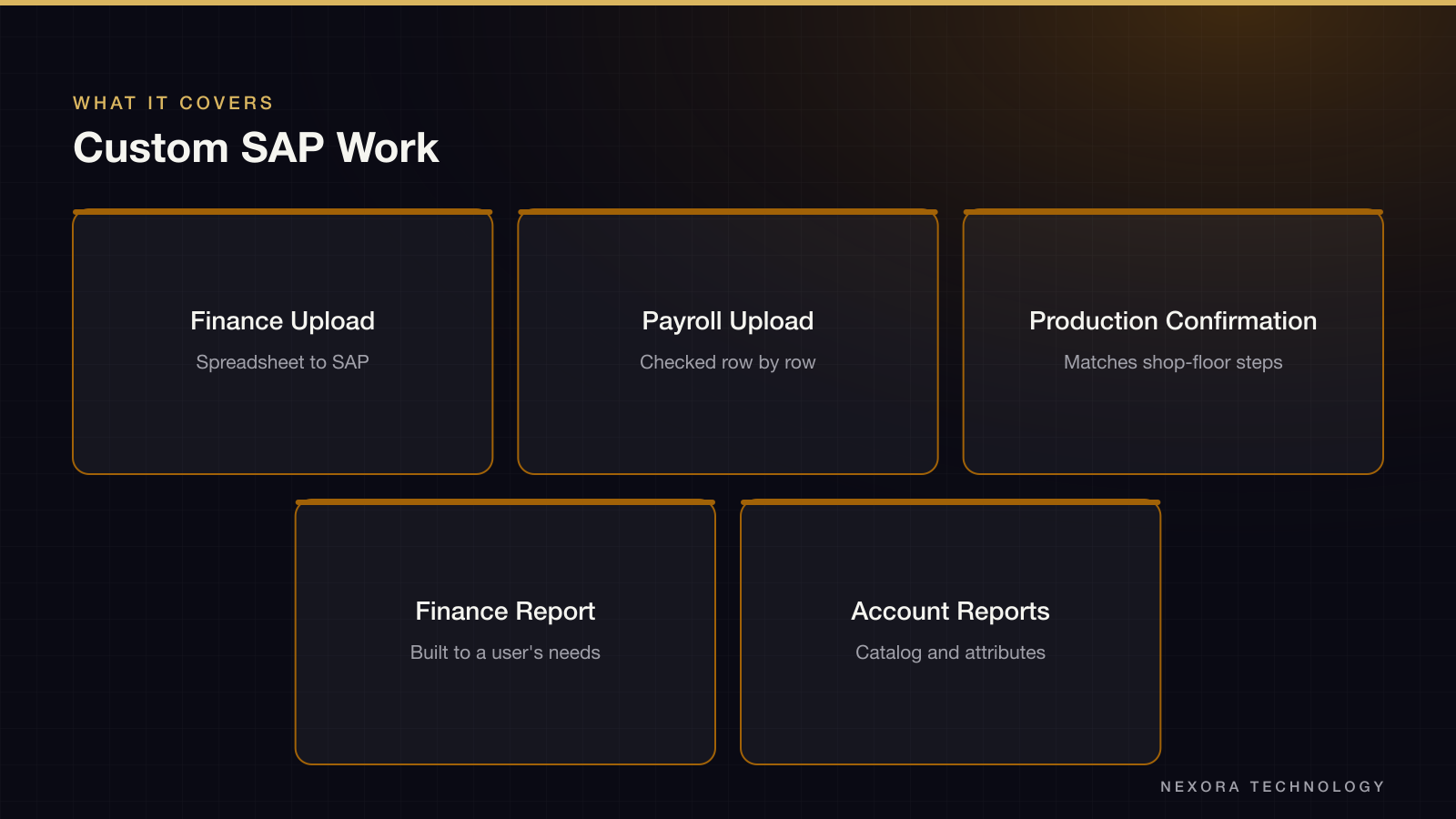
Custom Transactions Instead of Modified Standard
Most requests could have been met by changing SAP standard behavior. Nexora wrote new transactions beside it instead. A custom transaction can be tested, replaced or removed without touching what SAP ships, and it keeps upgrades simple. Each transaction takes a prepared file, checks it row by row and posts only what passes, so a bad line is reported to the user rather than half-posted. The first bulk-upload transaction was delivered in five days, and the same approach carried over to the others.
The Integration Layer
Around SAP, Nexora built an API integration layer so other systems can read and write ERP data without a user logging into SAP. Business workflows run through n8n, an automation tool, with an error tracker attached. When a workflow step fails, someone sees it and the failed item can be retried. Before this, a failed transfer between systems was usually discovered only when the numbers disagreed.
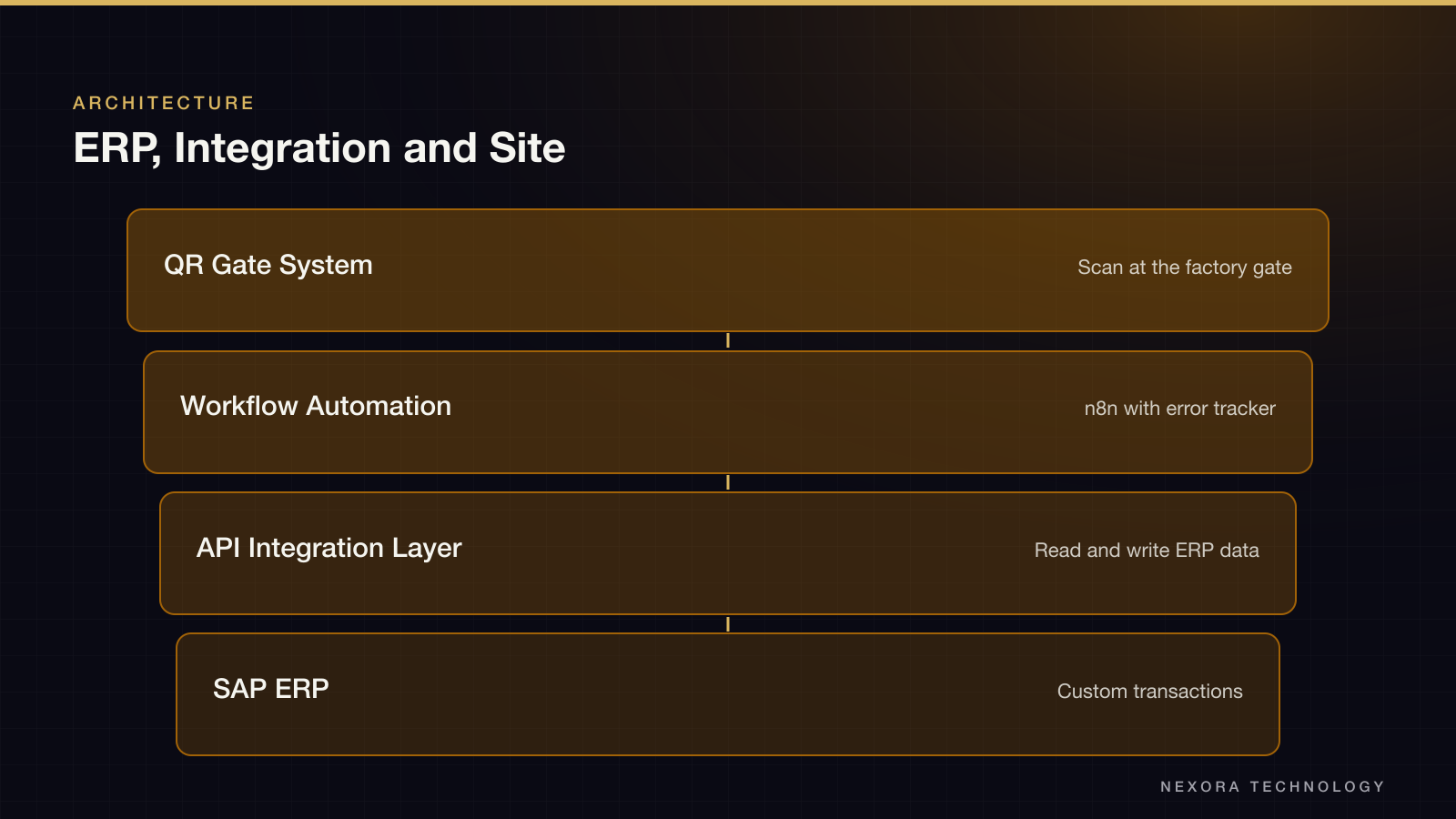
The QR-Code Gate System
The gate system gives each expected visit a QR code. A guard scans it at the gate, and the system shows whether the visit is expected and which purchase order it relates to. Because it reads the purchase-order data, the gate no longer depends on a phone call to the warehouse to confirm a delivery. The team also defined tester workflows so the gate staff and office staff could try each case before it went into daily use.
How Delivery Ran
The client had direct contact with the developers. Changes were shown to the client in working sessions, and the transactions were adjusted from what users saw. SAP development moves fast when the developer knows the modules, but every transaction touches money or inventory, so each one was checked with the finance or production user who owns the data before release.
Tech Stack and Why It Matters
The ERP work is SAP custom development with its API layer. Automation runs on n8n, and the gate system is a web application that works on any phone camera. The result is one vendor responsible for the ERP and for the physical process that feeds it.