
The Challenge
Flowers are a product where the photo sells and the date decides. A buyer needs to see the arrangement, trust that what arrives looks like it, and say exactly when it must arrive. The florist also runs wedding and event work and teaches flower arranging. A normal store template shows only the product grid, so Nexora designed a site that holds all of these without losing the shop.
What Nexora Designed
Four full-width page layouts, all on one shared header and footer:
- Home: a wedding story lead, a grid of eight featured arrangements, an event photo strip and the brand journey
- Product page: gallery, quantity, add to cart, description, ingredients, payment and policy tabs, reviews and more flowers
- Cart: line items, coupon code and a clear route to checkout
- Checkout: delivery date and time, recipient details, order summary and an order button
Navigation for a Business With Several Offers
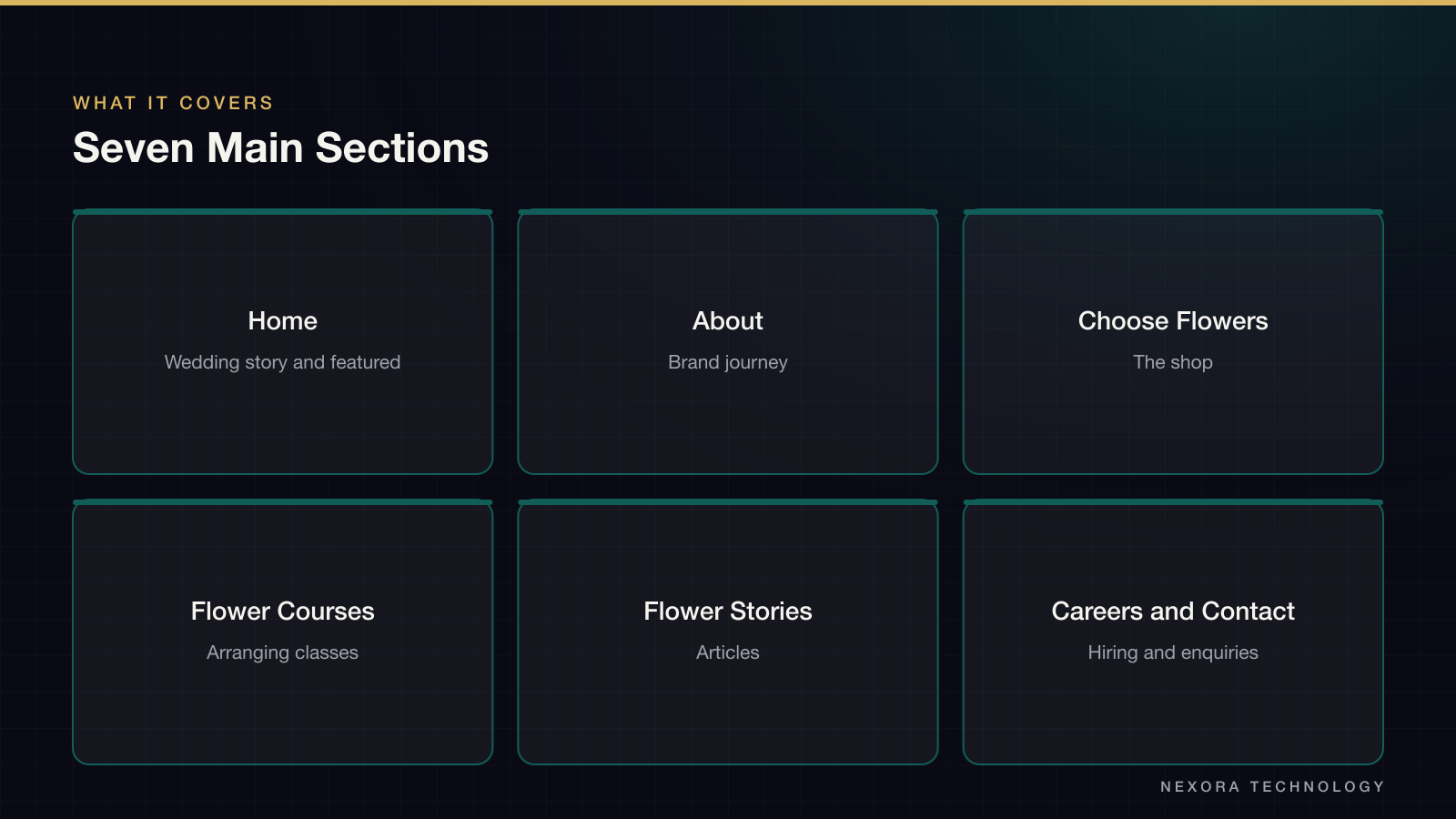
The main bar has seven sections: home, about, choose flowers, flower-arranging courses, flower stories, careers and contact. Courses and events are first-level items, so a person who came to book a workshop does not have to dig through the shop. The home page repeats the structure in a four-step brand block that lists delivery, freshness, student training and flower tours and events. It gives each offer one line of explanation and a number, which fits the story on a single screen.
Key Decisions
Cut flowers vary with the season, so the product page says so in plain words and states that the delivered bouquet will look close to, but not identical to, the sample photo. This sets expectations before payment and heads off the most common complaint before it happens. Ingredients are listed in the description so a buyer who wants specific flowers can check. A featured grid uses large portrait photos with the name and price underneath, since the arrangements are tall and vertical crops show them best.
Checkout Built Around the Delivery Slot
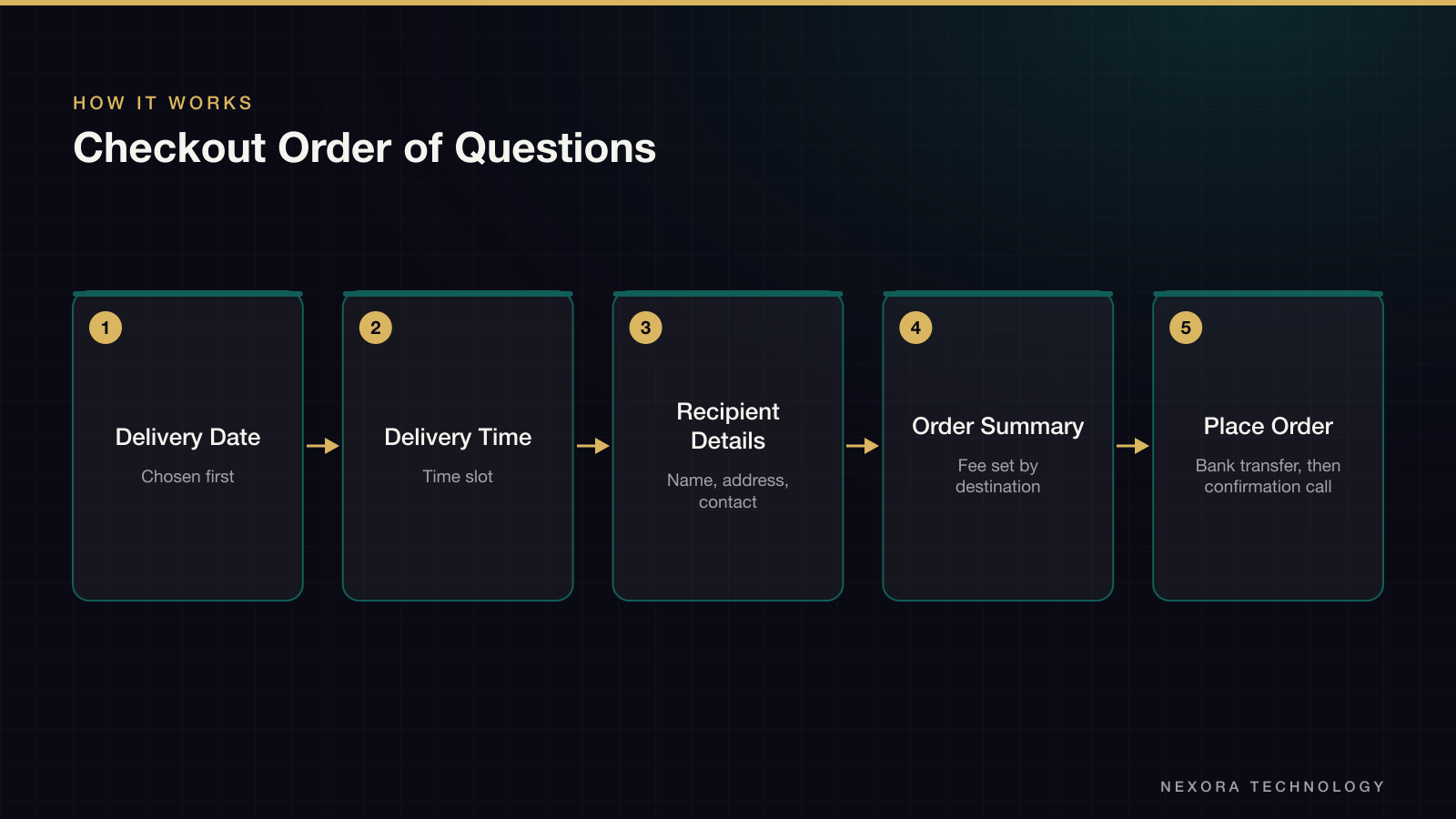
The first field on checkout is the delivery date and time, ahead of the name and address. For flowers, a missing slot is the most common reason an order falls through, so the form asks for it before anything else. The summary on the right explains that delivery cost depends on the destination and that customer service will phone to confirm the order. Payment is by bank transfer. A returning buyer can sign in or enter a voucher code from links at the top, and a guest can tick a box to create an account.
Visual Direction
Cream backgrounds, a deep green navigation bar and warm brown accents keep the page quiet, so the colour comes from the flowers. A script logotype is paired with a clean geometric sans for headings and spaced capitals for labels. Large type headings and generous white space make a long home page easy to scan.
What the Client Gets
The client gets four page layouts, ready to be turned into templates. The source material shows the layouts only, so the course page behind the navigation item, as well as launch and sales data, are not described here.